
Data Migrations: Delete Queries
on 01-26-2026 12:00 AM by SnapApp by BlueVector AI
501
Data Migrations: Delete Action
In SnapApp, the Delete Operation within the Data Migration module allow you to programmatically remove records from a target object. This is useful for cleaning up legacy data, removing duplicates, or resetting environments during a migration lifecycle.
SnapApp provides specific controls to ensure these deletes are executed with precision and safety.
Table of Contents
- 1. Configuring a Delete Action
- 2. How Delete Queries Work
- 3. Safety Measures & Best Practices
- Backups First
- The “Dry Run” Strategy
- Handling Dependencies
1. Configuring a Delete Action
- Navigate to User Profile > Settings.
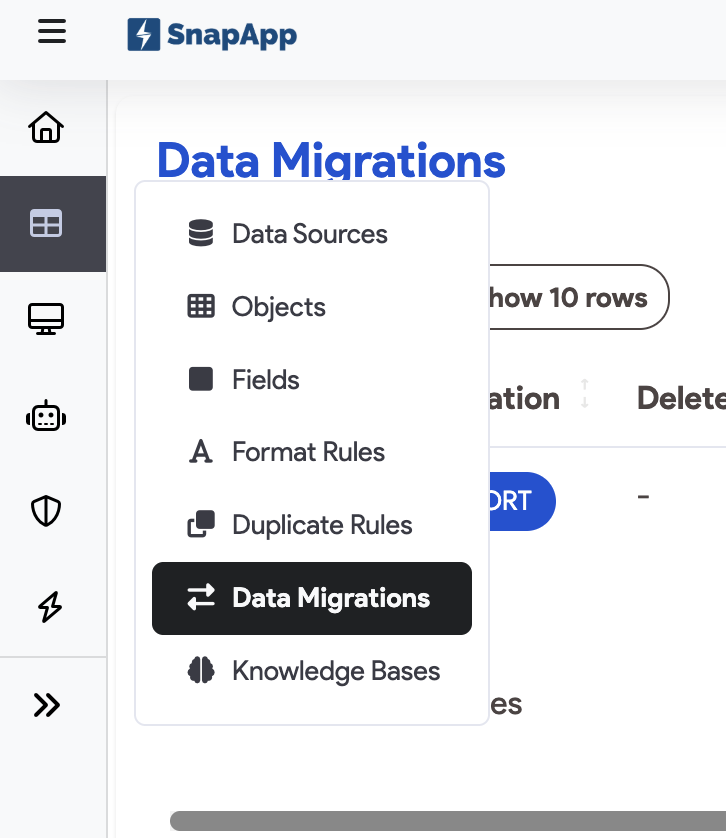
- In the left sidebar, go to Data > Data Migrations.
- Click Add New.
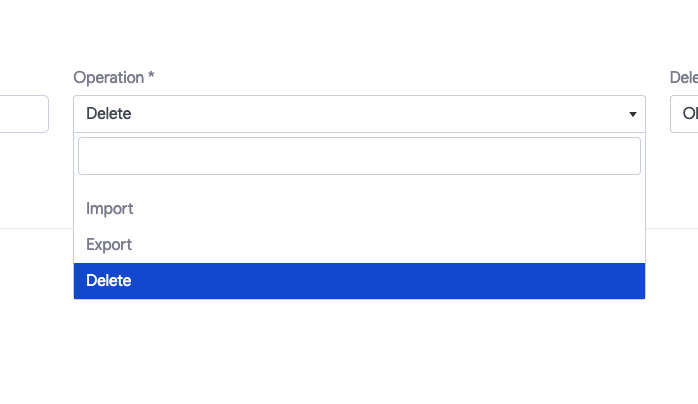
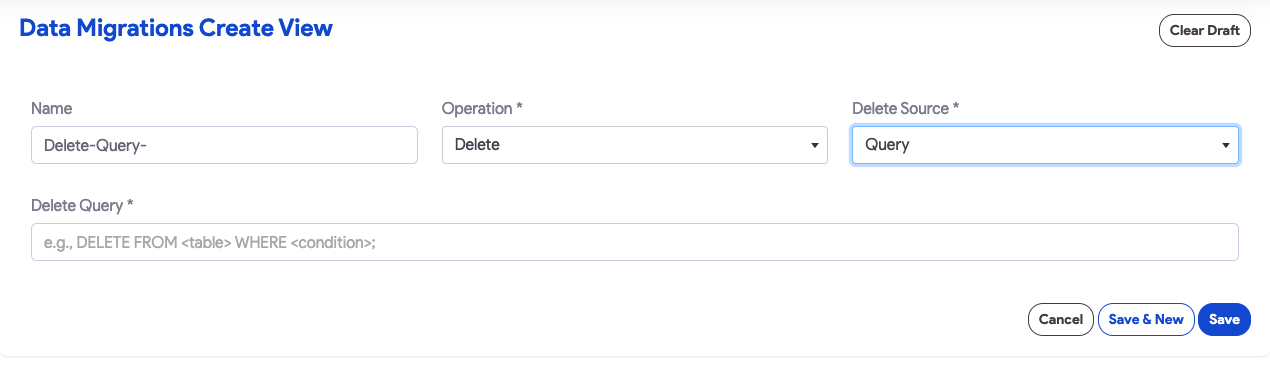
- Operation: Select Delete.
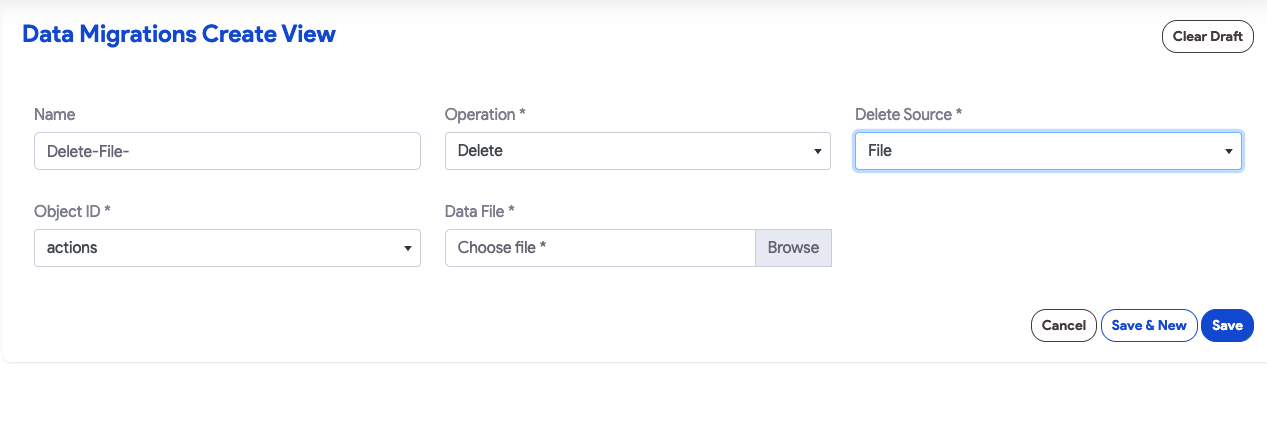
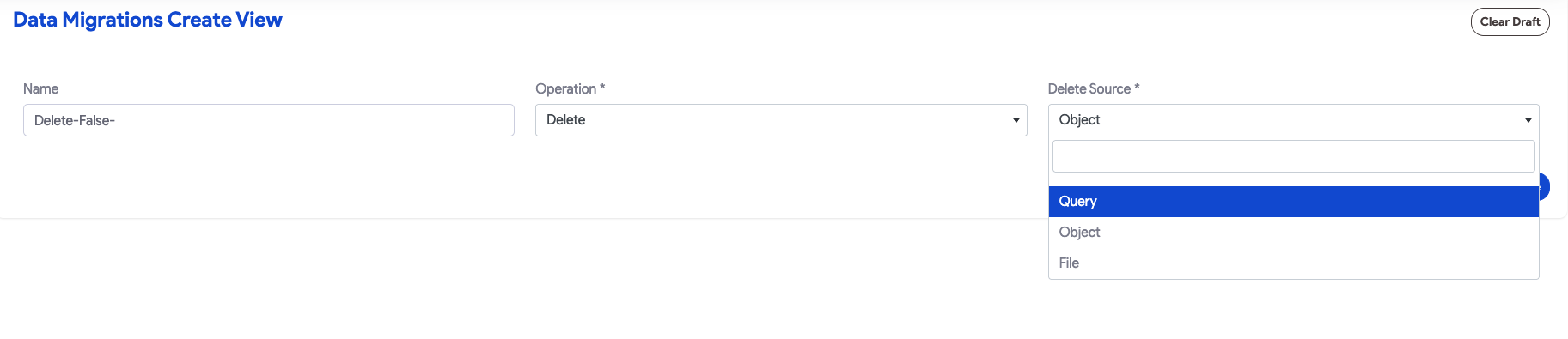
- Define the Delete Source:
- File-Based Delete: Import a spreadsheet containing the IDs of the records you wish to remove. All records in the selected object matching these ID’s will be deleted.
- Condition-Based Delete: Specify an SQL-style
WHEREclause (e.g.,Status = 'Inactive'orCreatedDate < '2025-01-01'). - Object: Select a specific object to delete all records in that object.
2. How Delete Queries Work
A Delete Query in a migration works by identifying a set of records based on a defined condition and removing them from the physical database table.
- The Scope: You can delete specific records by providing a
WHEREclause or perform a “Truncate-style” operation by leaving the condition blank (which deletes all records in the table). - The Execution: Like Insert or Update actions, Delete actions can be part of a larger Migration Job or Job Group.
- The Audit: Every record deleted through a migration job is logged, providing a status report of the operation’s success or failure.
3. Safety Measures & Best Practices
Deleting data carries inherent risks. SnapApp advises the following precautions before running a delete migration:
Backups First
Always back up your production database before running a destructive migration. This ensures you can restore to a previous state if the query logic deletes more data than intended.
The “Dry Run” Strategy
Before executing a final delete, run a Select or Export Query using the exact same conditions as your Delete Query. This allows you to verify exactly which records will be affected before they are removed.
Handling Dependencies
SnapApp will warn you if you attempt to delete records that are referenced by other objects (Foreign Key constraints).
- Restricted Deletes: The operation will fail if the record is “locked” by a child record.
- Cascade Deletes: Use caution if your database is configured to automatically delete related records when a parent is removed.
For support, email us at snapapp@bluevector.ai


