
System Fields
on 01-22-2026 12:00 AM by SnapApp by BlueVector AI
1262
System Fields
System Fields are essential, predefined fields in SnapApp’s database that store metadata critical for managing records and ensuring efficient system operation. Each Object automatically includes these fields to track record creation, updates, ownership, and application associations.
Table of Contents
- System Field Definitions
- Advance Details
- Steps to Generate System Fields
- Steps to Preview System Fields in View
System Field Definitions
The following fields are automatically generated for every object in SnapApp:
| Field Name | Datatype | Description | Example |
|---|---|---|---|
| _index | Number | Tracks the order of records in an object for quick access. | 1, 2, 3 |
| ID | Text | Unique identifier for each record; acts as the primary key. | fad4aa71-8a59... |
| Created By | Ref | Displays the email of the user who created the record. | snapapp@bluevector.ai |
| Last Updated By | Ref | Displays the email of the user who last updated the record. | snapapp@bluevector.ai |
| Created On | Datetime | Shows the date and time a record was created. | 2024-07-24 14:33:25 |
| Last Updated On | Datetime | Shows the date and time of the last update. | 2024-07-24 14:33:25 |
| Owner ID | Text | Displays the unique ID or email of the record owner. | user-123 |
| Owner Type | EnumList | Specifies if the owner is a single User or a Queue (multiple owners). | User |
| Application ID | Ref | References the specific application ID where the record was created. | app_789 |
| Account ID | Ref | References the account ID associated with the record. | acc_456 |

Advance Details
Steps to Generate System Fields
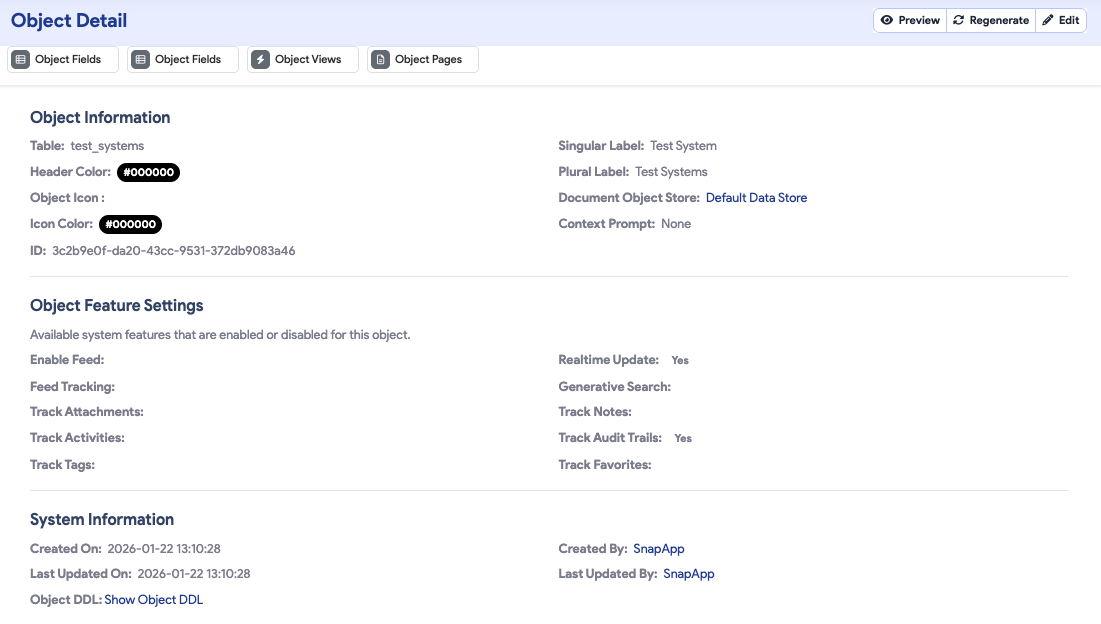
System fields are not created manually; they are instantiated alongside the object.
- Navigate to Settings > Data > Objects.
- Click + Add New to create a new Object.
- The object will automatically populate with the system fields listed above.
Steps to Preview System Fields in View
By default, system fields are hidden from standard views to reduce clutter. To reveal them:
- Select the Preview button for your selected object.
- Click the Table Settings icon.
- Select the desired system fields (e.g.,
Created On) to include them in your current view.

System Fields streamline record management and enhance data traceability, making it easy to build organized, user-accessible datasets in SnapApp.
Thank you for following these steps to configure your SnapApp components. Building a well-structured data environment is the first step toward creating a powerful, automated application that scales with your needs.
For further assistance, email us at snapapp@bluevector.ai.


